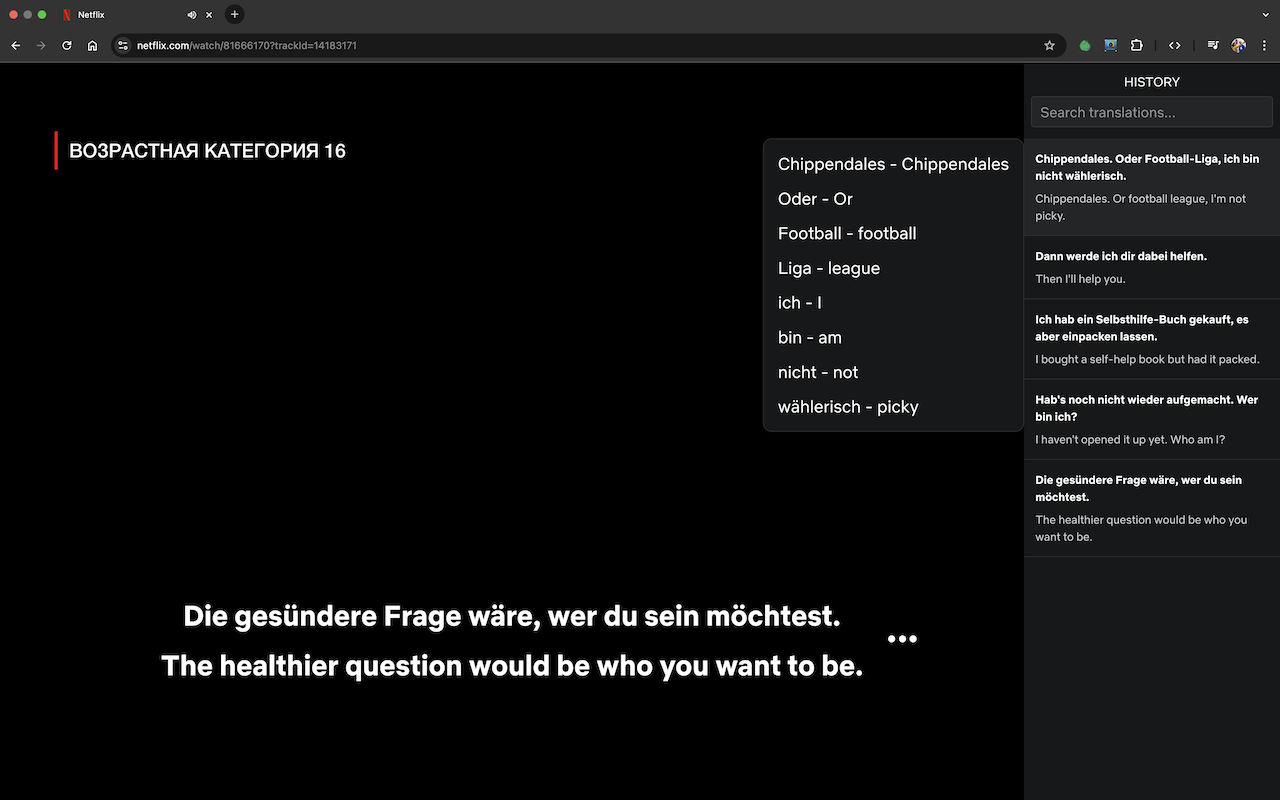
What it looks like
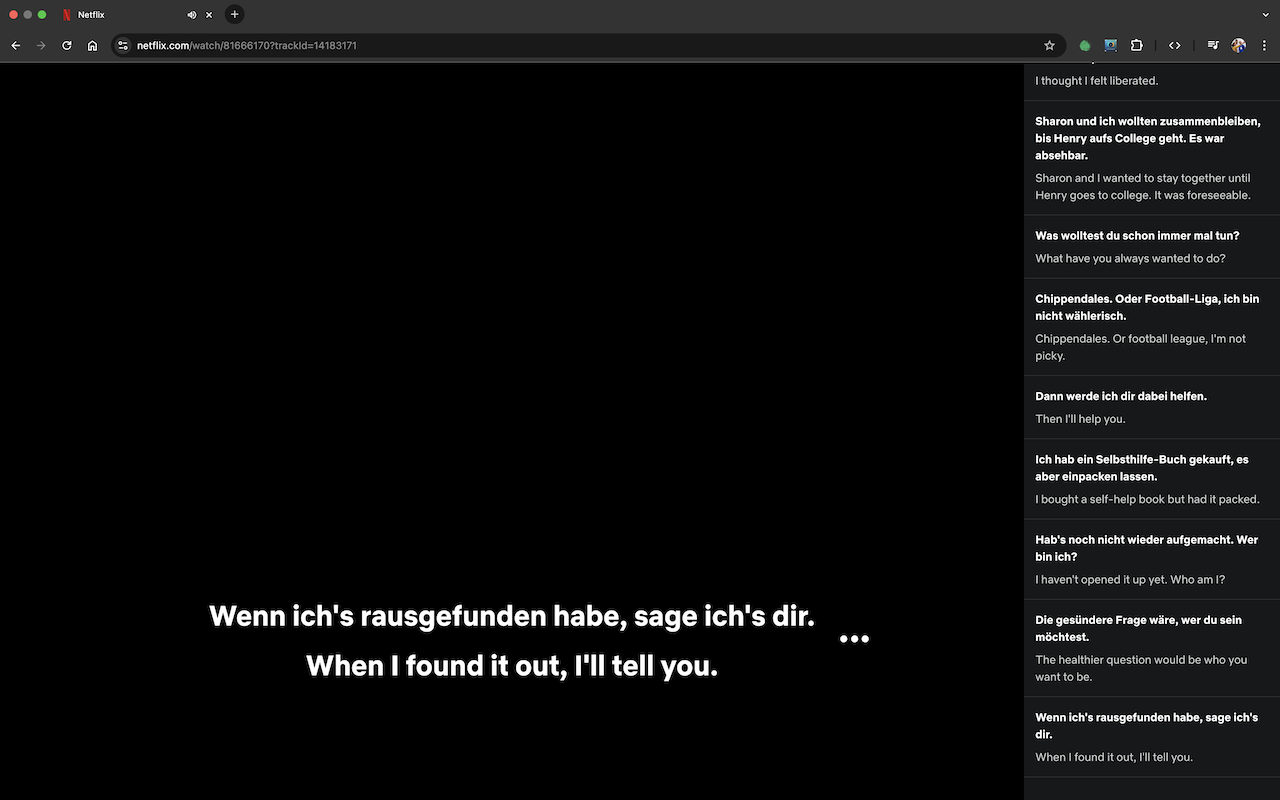
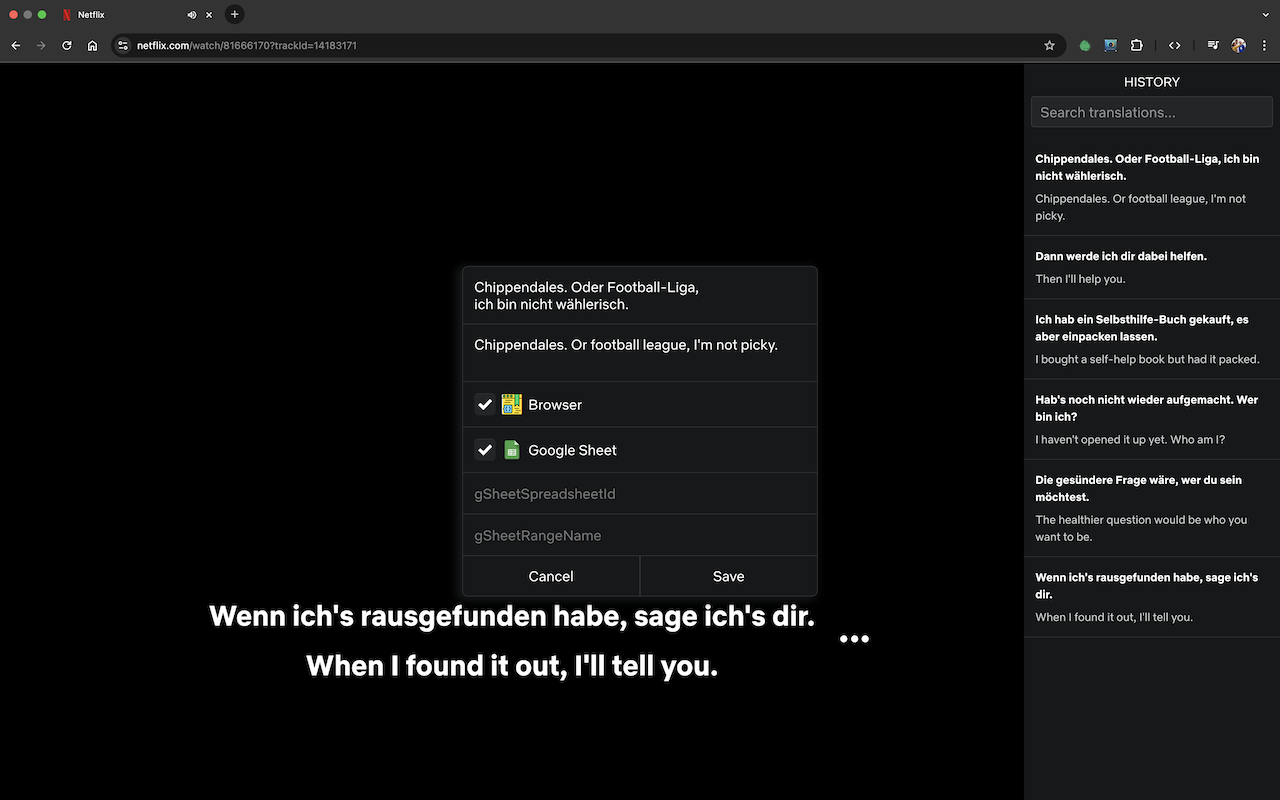
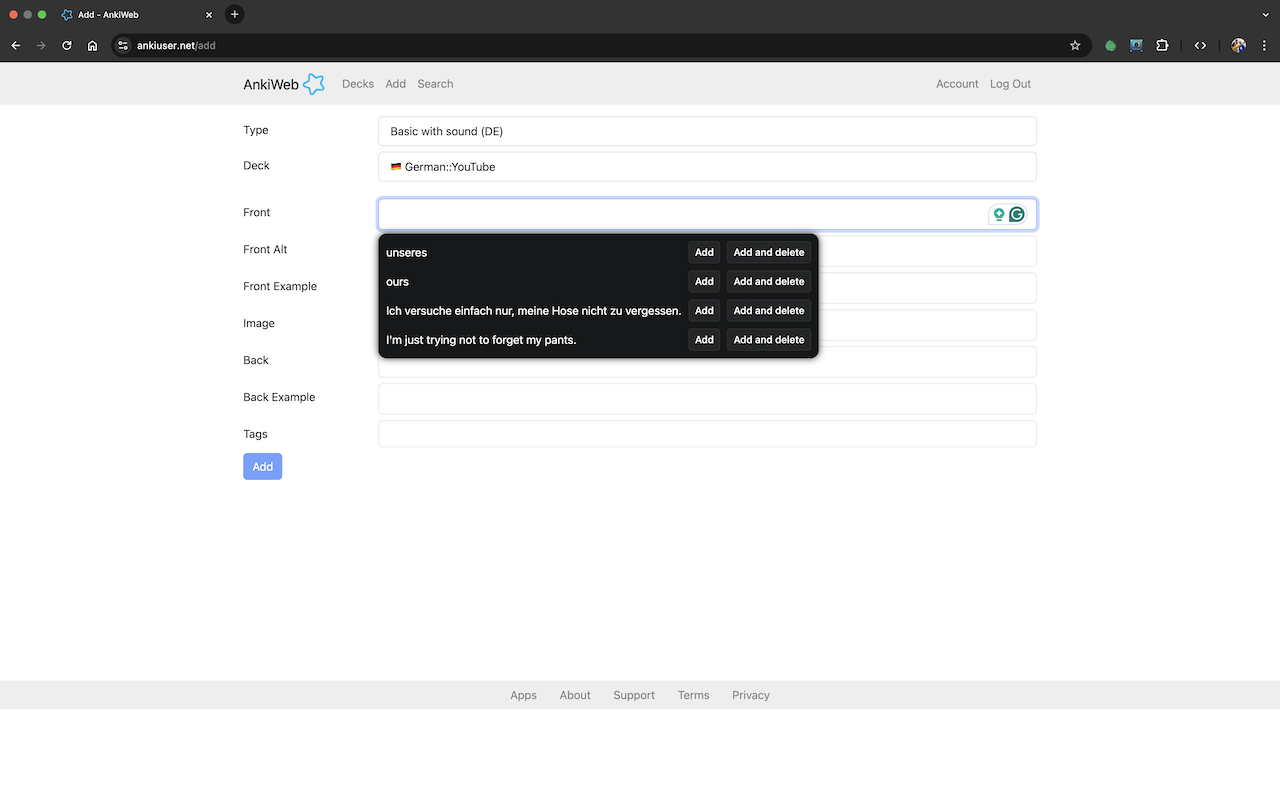
What it does
-
Two subtitle tracks at once
The language you're learning and the one you already know, stacked over the player — instead of switching tracks back and forth.
-
Word by word
Open the current line and it breaks apart into its words with a translation for each, so you can see which one you actually missed.
-
A searchable history
Every line you've passed stays in a sidebar you can scroll and search, which makes going back to “that phrase from earlier” trivial.
-
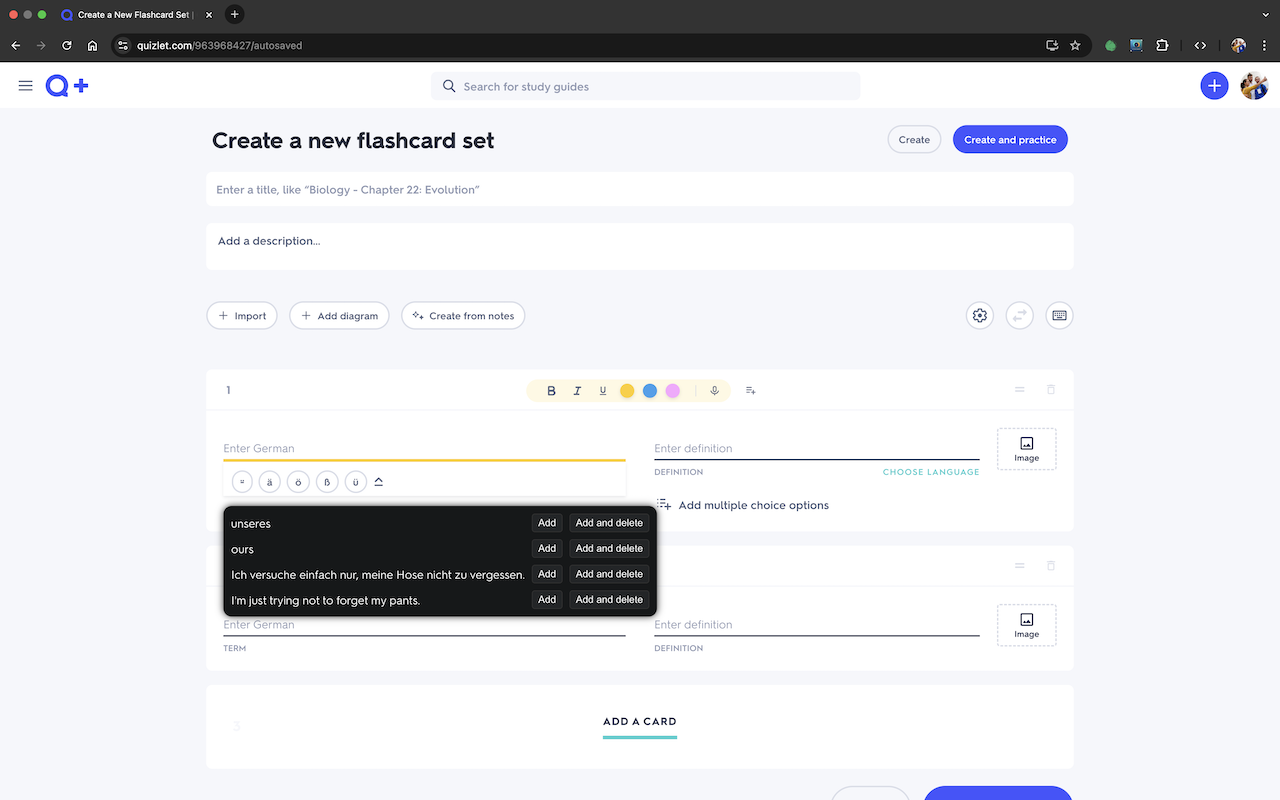
Saves into your study tools
Send a word or a whole sentence to Anki or Quizlet — the card comes pre-filled — or keep it in the browser, or append it to a Google Sheet of your own.
-
Styling you control
Subtitle appearance and position are adjustable, so the second line doesn't fight with the player's own controls.
-
Nothing is collected
No accounts and no analytics. What you watch stays between you and the streaming service.
Where it works
- Netflix
- Amazon Prime Video
- Disney+
- YouTube
- Twitch
Prime Video is covered on primevideo.com and on the Amazon
storefronts — .com, .co.uk, .de and
.co.jp.
Saved words land in Anki (AnkiWeb), Quizlet, the browser itself, or a Google Sheet you point it at.
Installing it
From the store
Install it from the Chrome Web Store — this is the easy path.
From source
Clone the repository, open your browser's extensions page, turn on Developer mode and use Load unpacked.
Then open a video on a supported site, click the extension icon and pick your two languages in the popup.
What's planned
Apple TV support; Firefox, Opera and Safari builds; showing the base form of verbs and nouns alongside the subtitle; binding subtitles to the video timeline for tighter sync; and exporting the whole history, split by title.
Ideas and votes welcome in the issues.